How to Scan a Barcode from an Image or Camera
A reliable barcode scan needs sharp bars, the complete symbol, and enough quiet space around it. Always compare important results with the trusted source.
Read guide53 tools available
No matching tool yet. Try a file type or action such as “PDF”, “compare”, or “convert”.
Browse all toolsClear, practical guidance for formatting, converting, validating, exploring, and comparing data, building job applications, choosing the right file workflow, and checking a document before you share it.
A reliable barcode scan needs sharp bars, the complete symbol, and enough quiet space around it. Always compare important results with the trusted source.
Read guidePNG compression can preserve every decoded color or use a smaller palette for a stronger reduction. Compare the actual size and inspect gradients, transparency, and animation.
Read guideA multi-page TIFF often represents a scanned document. Preserve its frame order, fit each image without cropping, and inspect the resulting PDF before sharing it.
Read guideHEIC-to-PDF conversion places the decoded photo on a document page without cropping. The best page size and margins depend on whether the PDF will be printed, submitted, or archived.
Read guideThe best screenshot captures only the needed area, avoids private information, and is checked at its intended viewing size before sharing.
Read guidePDF-to-PNG conversion creates a lossless image for each page. Choose resolution for the destination and inspect text, diagrams, and transparency expectations before sharing.
Read guideBMP files are often large and lightly compressed. A JPEG copy is easier to share, but photographic compression and the lack of transparency require a visual check.
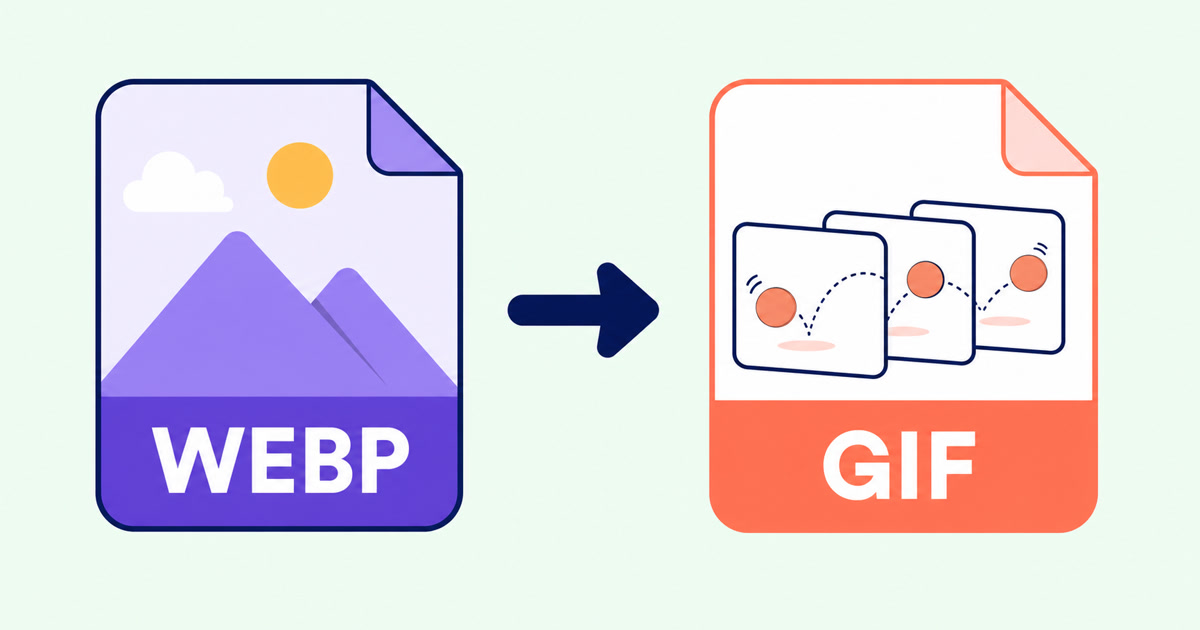
Read guideA reliable WebP-to-GIF conversion preserves animation structure and timing while accounting for GIF’s smaller color palette and one-bit transparency.
Read guideEffective JPEG compression balances visible quality and file size. Start moderately, compare the actual reduction, and inspect text and sharp edges at normal size.
Read guideA reliable QR code uses the exact destination, enough surrounding whitespace, an appropriate output format, and a real scan test at its final size.
Read guideReliable QR scanning starts with a sharp, complete code. Always inspect the decoded text or domain before deciding what to do with it.
Read guideBarcode generation is the rendering step, not identifier registration. Match the format to the assigned value and verify the actual downloaded or printed output.
Read guideRGB and hexadecimal colors describe the same three channels in different number systems. Validate each channel, convert it to two digits, and check the visible swatch.
Read guidePDF-to-text conversion should read existing characters directly, recognize printed scans only when needed, and leave you with editable text that can be checked before use.
Read guideA searchable scanned PDF keeps the original page image while adding recognized text underneath. Clear source pages, the correct language, and a final accuracy check matter most.
Read guideA useful scanned PDF begins with complete, evenly lit photos. Cropping and filters can improve presentation, but they cannot restore missing detail or make text searchable.
Read guideJPG usually suits photos and broad compatibility; PNG suits lossless output. Neither conversion makes the original HEIC better.
Read guideA clean image-based PDF starts with page order, orientation, margins, and a final check that every image remains readable.
Read guideA useful JPG export depends on the destination, the source page, and the quality setting—not simply choosing the largest file.
Read guideResizing PDF pages changes their paper dimensions while fitting the original page proportionally. Choose the destination size for the final print or submission workflow.
Read guideUseful PDF compression is not just about the smallest number. Choose a method that fits the document, then check readability and important features in the result.
Read guideA reliable merge starts before you click the final button. Use this workflow to prepare, order, combine, and check a multi-file PDF.
Read guideSplitting and extracting both create new PDFs, but they solve different document problems. This guide makes the choice straightforward.
Read guidePage-level cleanup is easier when you review the whole document first and make changes in a deliberate order.
Read guideRTF-to-PDF conversion is most reliable for text-focused documents. Review the parsed preview, especially when the source contains embedded objects or application-specific layout.
Read guideMarkdown is compact and portable, but a reliable PDF still depends on supported syntax, sensible page settings, and a final pagination review.
Read guideTXT is best for plain content; supported HTML adds document structure. The right source prevents formatting surprises.
Read guideA PDF should open consistently across common devices, but the right reader, a complete download, and a few focused checks still matter.
Read guideA useful toolkit review separates the advertised feature list from the checks that matter for your particular document, privacy requirements, and output.
Read guideA simple folder structure, visible file extensions, meaningful names, and a final location check prevent many everyday document mistakes.
Read guideURL decoding restores escaped characters for inspection. Decode the right component, handle form-style plus signs deliberately, and review reserved characters before reuse.
Read guideReliable JSON formatting improves readability without silently changing data. Validate first, choose deliberate formatting options, and review the exact result before using it.
Read guideJSON-to-CSV conversion works best when the source describes consistent records. Review headers, nested values, blanks, delimiters, and identifiers before using the table.
Read guideReliable CSV-to-JSON conversion starts with correctly parsed rows, unique headers, and a deliberate decision about whether each cell should remain text.
Read guideXML formatting can reveal document structure, but whitespace may be meaningful. Validate the source, understand its content model, and review the exact result.
Read guideYAML is readable because whitespace carries structure. A safe formatting workflow checks indentation and duplicate keys without assuming every plain value is a string.
Read guideValid JSON syntax does not guarantee a valid payload. JSON Schema describes the required shape and constraints so mismatches can be reviewed consistently.
Read guideA tree view turns nested JSON into navigable branches. Use keys, indexes, types, values, and complete paths to reach the part of the document that matters.
Read guideAn ATS-friendly CV is a clear document first: conventional sections, a predictable reading order, searchable text, and evidence tailored to the role.
Read guideUseful CV keywords describe evidence you genuinely have. The strongest match connects the employer’s language to specific skills, work, and outcomes.
Read guideDOCX and text-based PDF can both be parsed by major recruiting systems. The application instructions and the quality of the exported document should decide.
Read guideA useful JSON comparison separates structural changes from harmless formatting so you can focus on values, properties, and array order.
Read guideReliable CSV comparison parses quoted fields before reviewing row changes, while preserving the row and column order that gives the data its meaning.
Read guideXML comparison is clearest when formatting noise is removed but element order, namespace identity, attributes, and meaningful text remain visible.
Read guideA dependable text comparison aligns the two versions, distinguishes additions from removals, and keeps small edits visible inside changed lines.
Read guideA dependable signing workflow starts with the final document, uses the signature method the recipient expects, and ends by reopening the exact copy you plan to send.
Read guideCropping can make uneven scans and oversized margins easier to read, but the best result depends on consistent framing and a careful page-by-page review.
Read guideA dependable form workflow starts by identifying the field type, entering answers in the right place, and checking the finished PDF as the recipient will see it.
Read guidePDF editing is safer when you check whether text replacement is direct, OCR-based, or visual, review every page, and keep an untouched source.
Read guidePage numbers help navigation; watermarks communicate status. Choosing and placing them well prevents avoidable confusion.
Read guideA signature drawn on a PDF and a certificate-backed digital signature can look similar while providing very different evidence.
Read guideUnlocking a PDF removes its opening-password barrier from a new copy. Use the valid password, verify the result, and protect the unencrypted file appropriately.
Read guideFlattening can make completed forms and annotations display more consistently, but it removes editability and can affect signatures and other interactive behavior.
Read guidePassword protection is most useful when the password, delivery method, and final-file checks are treated as one complete workflow.
Read guide